
In short
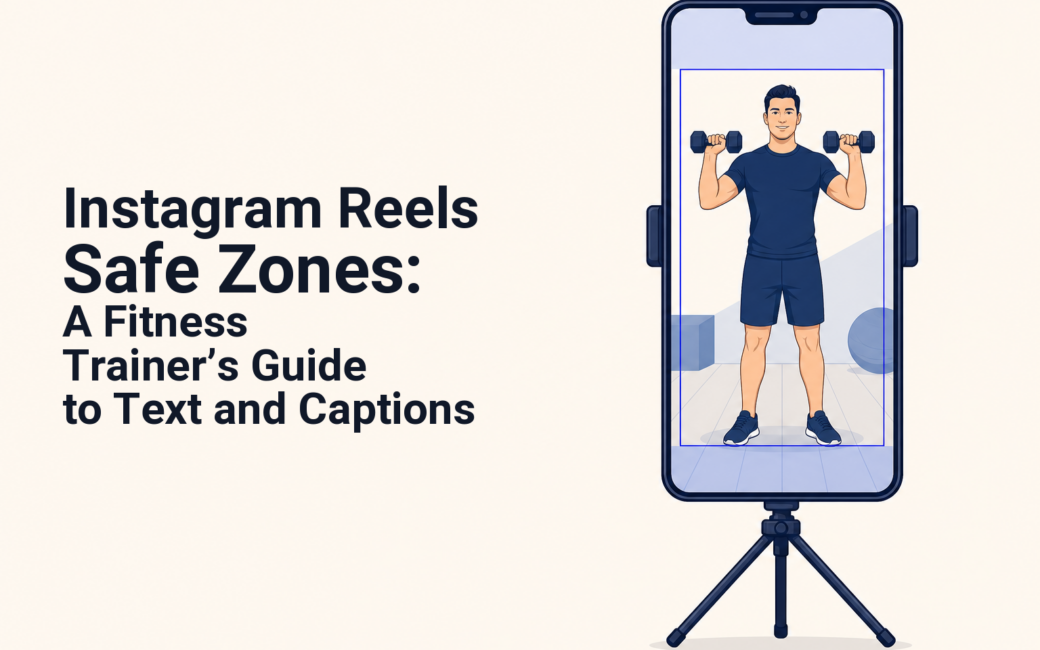
Instagram Reels safe zones are the central part of a 1080 × 1920 vertical video where a trainer should keep essential hooks, captions, faces, exercise labels, logos, and calls to action. Use a conservative central working area, then preview the final Reel in Instagram because interface overlays and caption expansion can vary. (facebook.com)
Key takeaways
- Build Reels at 1080 × 1920 pixels in a 9:16 format, but do not treat the full canvas as usable text space.
- Keep your most important fitness message inside a conservative central frame rather than near the top, bottom, or right-side controls.
- Put the movement demonstration in the visual center, then place short labels beside it instead of over a client’s joints, face, or form.
- Test every Reel with its real caption length and a cover preview before publishing, especially when the Reel includes a lead-generation call to action.
- Meta says Reels creative performs best when key messages stay in the safe zone, but its public guidance does not provide one permanent pixel map for every organic Reel interface. (facebook.com)
Contents
- What are the safe zone sizes for Instagram Reels?
- Where should captions and calls to action go?
- How should a trainer frame an exercise demonstration?
- How do you check a Reel before publishing it?
- What should a fitness Reel ask viewers to do?
- Which Instagram Reels safe-zone questions come up most often?
- What should you do before your next Reel goes live?
A safe zone is not a design trend. It is the part of a Reel where the message that earns attention, trust, or an inquiry is less likely to be hidden by Instagram controls.
A trainer can lose the value of a strong Reel by placing “Save this glute workout” behind the caption area, putting a booking prompt under the action buttons, or covering a squat demonstration with large subtitles. The solution is to plan the frame before editing, not to shrink every word after the video is finished.
What are the safe zone sizes for Instagram Reels?
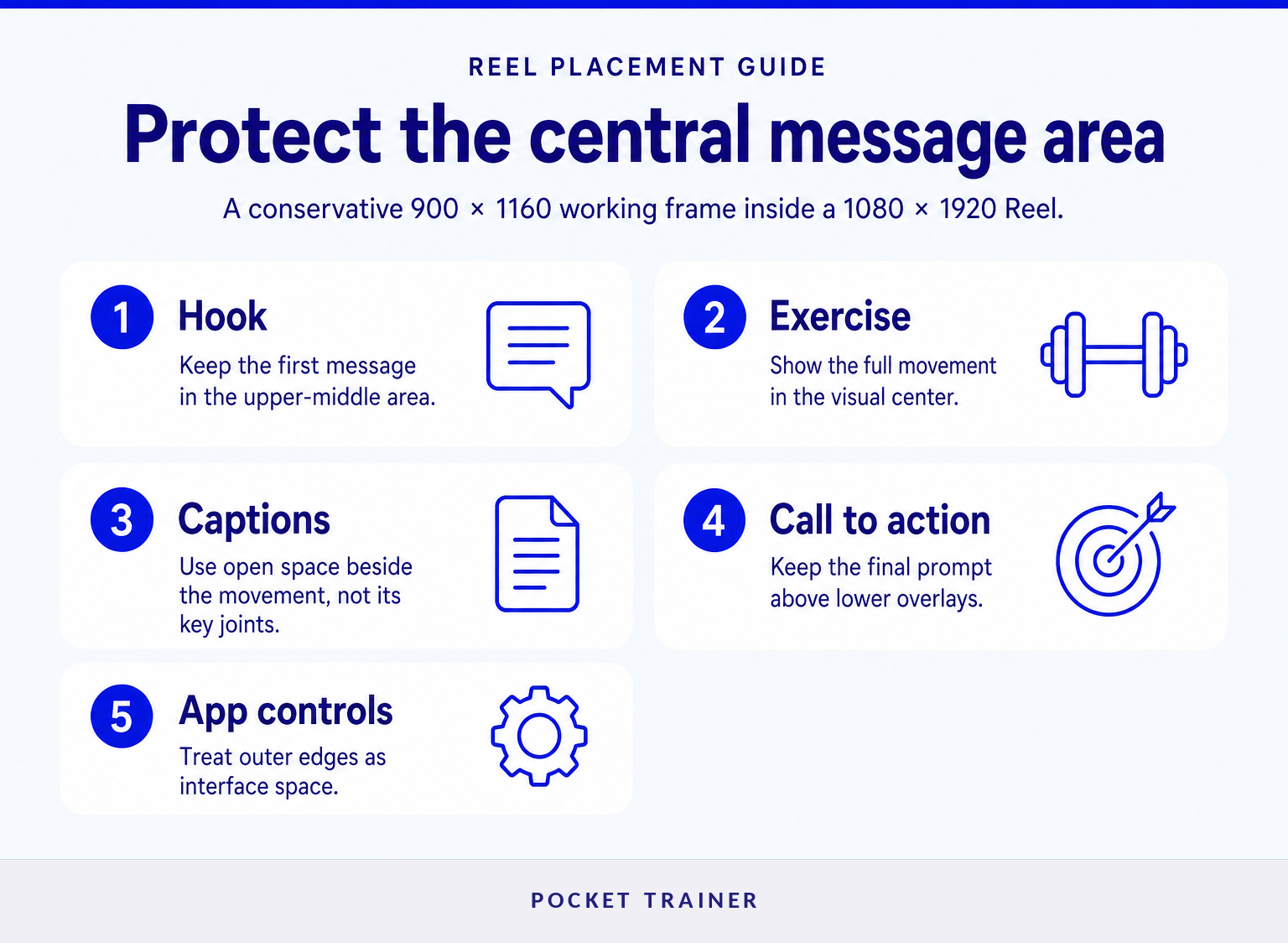
Instagram Reels use a 9:16 vertical canvas, commonly prepared at 1080 × 1920 pixels. For a conservative production starting point, keep critical content inside a centered 900 × 1160 pixel working frame, then verify the finished Reel in the app before publishing. Syllaby’s 2026 cross-platform guide uses that 900 × 1160 central box for vertical short-form video.
Published guidance is not perfectly consistent. For example, Hopper HQ’s September 2026 guide advises avoiding roughly 270 pixels at the top, 670 pixels at the bottom, 65 pixels at each side, and a larger bottom-right area. That is why a single graphic should be treated as a working overlay, not as a guarantee that every interface variation will leave the same pixels uncovered.
For fitness content, protect these items first:
- The first-line hook, such as “Three mistakes in your deadlift setup.”
- A trainer’s face when the Reel opens with direct-to-camera instruction.
- Exercise labels that explain tempo, load, range of motion, or regression options.
- Client proof, including a short testimonial quote or before-and-after context used with permission.
- The final action, such as “Comment PLAN for the starter routine.”
Meta’s Reels advertising guidance supports the principle even though it does not publish one fixed organic-Reel pixel map: use vertical video and keep key creative elements inside the safe zone. (facebook.com)
The practical rule is simple: treat the center as your message area and the edges as space for the app.
Where should captions and calls to action go on a fitness Reel?
Put the hook and key captions in the upper-middle to middle of the frame, not flush against the top or bottom. Put the call to action above the lower interface area and away from the right-side rail, where viewers may see interaction controls.
A useful fitness-Reel layout has three zones:
- Hook zone: Use the upper-middle area for one short promise or problem. “Fix your push-up setup” is easier to read than a two-line paragraph.
- Demonstration zone: Keep the trainer, client, or exercise movement in the middle of the frame. Do not place labels over knees, hips, hands, or the bar path if those details teach the exercise.
- Action zone: Put the final prompt in the lower-middle area, high enough to avoid captions and controls. Keep it short and give the viewer one action.
Avoid putting an all-caps headline at the very top simply because it looks balanced in an editor. The profile name, audio information, and other interface elements can make that headline harder to read. Likewise, do not place “DM me COACHING” at the extreme bottom or right edge where it can compete with on-screen controls.
Captions should support the movement, not become the movement: one idea on screen at a time is easier to read and safer to place.
How should a trainer frame an exercise demonstration for Reels?
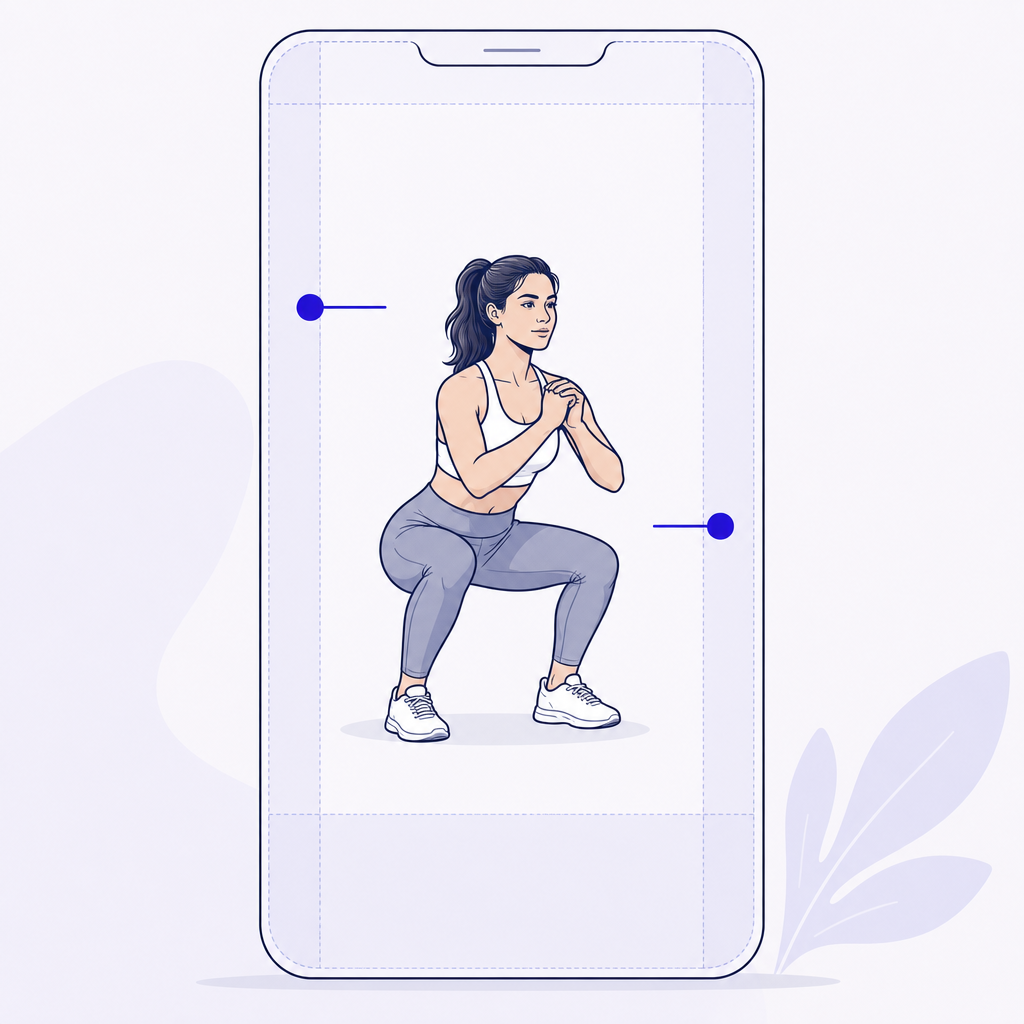
Frame the movement so a viewer can see the exercise before reading any text. Keep the person and the key range of motion in the central working area, then use smaller labels in open space beside the body.
For a squat, show the feet, knees, hips, torso, and enough headroom to make the position understandable. For a cable movement, keep the handle path and the body visible. For a floor exercise, avoid a camera angle that puts the client’s face or hands in the lower portion of the frame where captions could cover them.
This approach also makes testimonial Reels cleaner. Place the client or trainer centrally, use one brief proof point in open space, and reserve the bottom of the screen for background footage rather than essential evidence. If a transformation image needs side-by-side framing, leave enough breathing room that the crop still makes sense on your profile grid.
A fitness Reel should make the exercise understandable with the sound off and the text partially obscured.
How do you check an Instagram Reel before publishing it?
Check the finished export in the Instagram creation flow, not only in Canva, CapCut, or another editor. Use the real caption you plan to publish, because a longer caption can take more visual space than a short placeholder.
Use this five-step check:
- Export the video at 1080 × 1920 pixels.
- Add your final on-screen text, then review it against your safe-zone overlay in the editor.
- Upload the Reel as a draft and inspect the hook, exercise labels, and final call to action in Instagram’s preview.
- Add the real caption, including hashtags if you use them, and check the lower portion again.
- Choose a cover that still communicates the topic when cropped for your profile grid.
This is also the right point to remove text that the viewer does not need. A Reel about a dumbbell row does not need “Fitness tips for beginners” in the frame if the first shot already shows the movement and the hook explains the correction.
Once the message is framed correctly, timing matters too. Use the best time to post fitness Reels on Instagram as a separate decision after the Reel is ready to publish.
The only safe-zone check that counts is the final preview with the real caption, cover, and call to action in place.
What should a fitness Reel ask viewers to do?
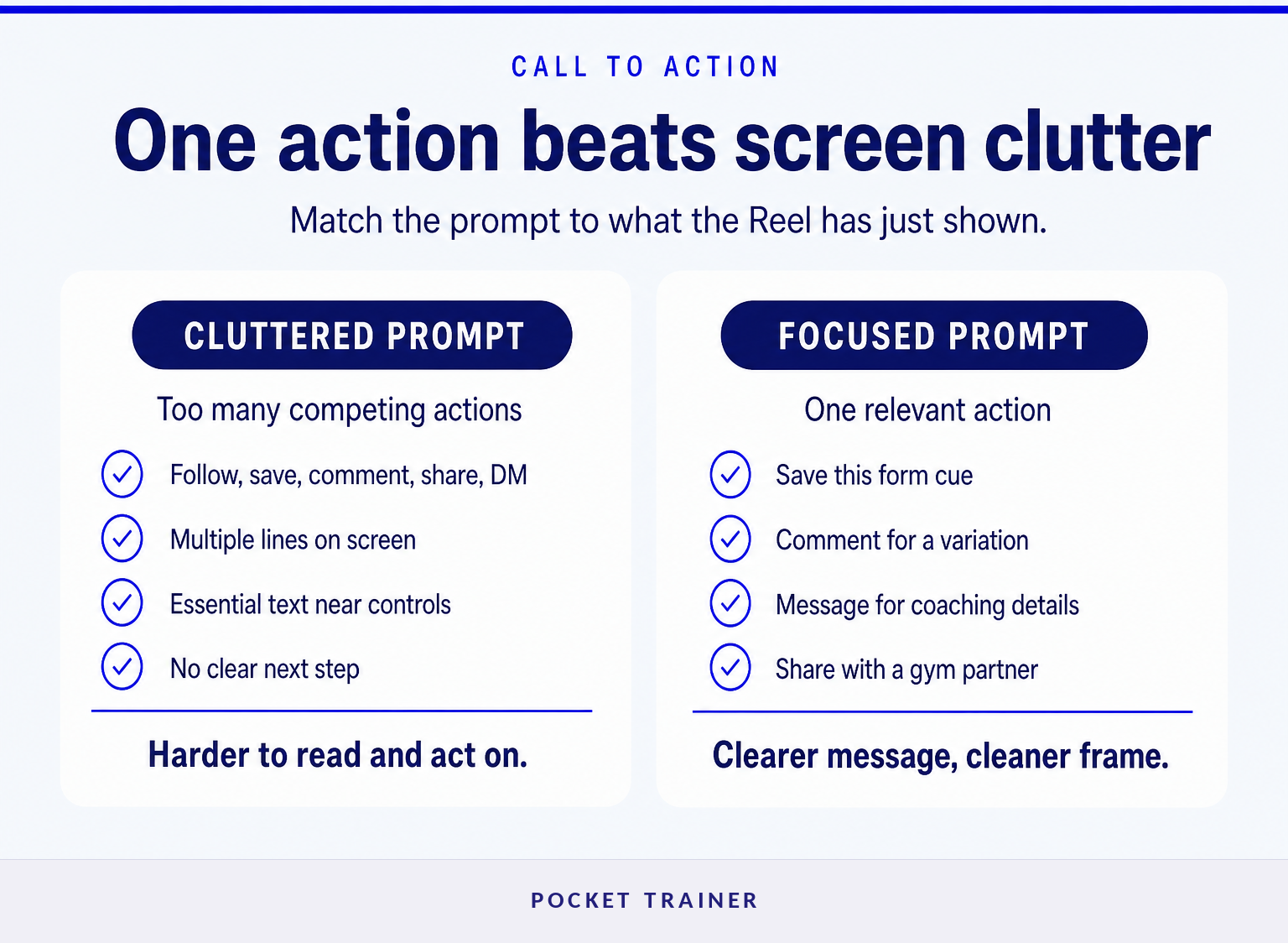
A fitness Reel should ask for one next step that matches the value shown in the video. The best call to action is visible, specific, and placed where it does not cover the final exercise demonstration or disappear behind Instagram controls.
Match the action to the Reel:
- A form-correction Reel can ask viewers to save the post for their next gym session.
- A short workout can ask viewers to comment for a version suited to their goal.
- A client-success Reel can invite viewers to message for details about coaching availability.
- A nutrition habit Reel can ask viewers to share it with a training partner.
Avoid asking viewers to follow, save, comment, share, visit a link, and send a message in one seven-second video. Multiple instructions create clutter on screen and reduce the chance that any one message remains readable.
For trainers building an online offer, a Reel can be the first step, not the entire sales process. Pocket Trainer provides trainer social-growth support alongside a customizable sales page, client app, workout content, and optional payment handling. Explore Pocket Trainer if the goal is to turn social attention into a more structured online training service.
One visible, relevant call to action is stronger than five prompts competing for the same small part of the screen.
Which Instagram Reels safe-zone questions come up most often?
Instagram safe zones are frequently confused with rules about posting cadence, carousel layouts, or general content formulas. The answers below separate interface-safe placement from advice that may apply to a different Instagram format or creator workflow.
What are the safe zone sizes for Instagram Reels?
Instagram Reels are commonly produced at 1080 × 1920 pixels in a 9:16 format, but the whole canvas is not equally safe for text. A conservative approach is to keep essential elements in a centered 900 × 1160 pixel working area, then inspect the uploaded draft because interface overlays can vary. Meta recommends keeping key creative elements in the safe zone. (facebook.com)
What is the 5-3-1 rule on Instagram?
The 5-3-1 rule is not an official Instagram Reels safe-zone specification. Creators use the phrase for different content-planning formulas, so it should not determine where you place captions, logos, or calls to action. Use a Reel-safe overlay and the Instagram draft preview to check placement instead.
What are the safe zones for Instagram posts in 2026?
Instagram post safe zones depend on the format. A Reel is a full-screen vertical 9:16 video with overlays that differ from a square feed post, portrait feed post, Story, or carousel. In 2026, build each asset for its intended placement and check how its crop and interface affect essential text.
What is the 3/8/12 rule?
The 3/8/12 rule is not a published Instagram standard for Reel text placement. It may refer to an individual creator’s content system, but it does not replace an on-screen safe-zone check. For a fitness Reel, protect the hook, demonstration, proof, and final call to action inside the central area.
What should you do before your next Reel goes live?
Build the Reel around the exercise or proof first, place the message in the central working area, and inspect the draft with the final caption. If one line must survive, make it the line that tells the viewer what to do next.
Use the checklist on your next three fitness Reels, then compare saves, comments, profile visits, and inquiries without changing five variables at once. Better framing will not create demand by itself, but it stops Instagram’s interface from hiding the message you already worked to earn.